Seminar 4

Bash. Scripts
Useful pipeline commands
-
cat FILENAME…— concatenate files' content -
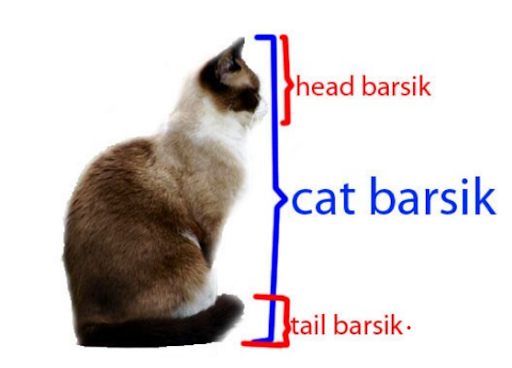
head -n LINES— print firstLINESlines -
tail -n LINES— print lastLINESlines
-
rev— revert -
cut -f<N> -d<D>— split by the delimiterDand select the fieldN -
sort [-knr]— sort the lines-
-k N— sort byN's key -
-n— sort as numbers (alphabetic order is the default one) -
-r— descending
-
-
tr FROM TO— replace -
tr -d CHAR— remove -
uniq— deal with duplications -
xargs— move stdin to argv -
tee FILENAME— log toFILENAME
Tasks
Fenrir ID:
sems/bash
Branch:sems/bash
Part 0
Create a script part-0.sh which takes a filename as an argument and prints its extension. Use string operations!
| args | output |
|---|---|
|
|
|
Solution
file="$1"

case "$file" in
    .*.* )
    	echo "${file#*.}"
    ;;
    .* )
        echo
    ;;
    *.* )
    	echo "${file#*.}"
    ;;
    * )
    	echo
    ;;
esac
Part 1
Create a script part-1.sh which reads a number N from stdin and prints its factorial N!.
| stdin | output |
|---|---|
|
|
|
|
Solution
- Loop
read n
f=1

for (( i=1; i < n; ++i )); do
	f=$(( f * i ))
done

echo "$f"- Recursion
function factorial {
	if (( $1 == 0 )) || (( $1 == 1 )); then
		echo 1 # Output
        return 0 # Return code 0 => success
    fi

    echo $(( $1 * `factorial $(( $1 - 1 ))` ))
}

read n
factorial "$n"
Part 2
Create a script part-2.sh which has these options:
-
-f|--force -
-i|--input INPUT -
-rev|--reverse
It prints INPUT's characters separated by space. When the force option is on, the characters must be printed one per line. When the rev option is on, the characters must be printed in the reverse order. When no input is provided, the script must exit with a code 13.
Solution
delim=" "
isr=0

while (( $# > 0 )); do
	case "$1" in
        -f|--force)
            delim=$'\n'
        ;;
        -rev|--reverse)
            isr=1
        ;;
        -i|--input)
            input=$2
            shift 1
        ;;
    esac

    shift 1
done

if [ -z "$input" ]; then
	exit 13
fi

if (( isr == 1 )); then
	for (( i=${#input}; i > 0 ; --i )); do
		if (( i == 1 )); then
			echo -n "${input:i-1:1}"
        else
            echo -n "${input:i-1:1}${delim}"
        fi
    done
else
	for (( i=0; i < ${#input}; ++i )); do
		if (( i == ${#input} - 1 )); then
			echo -n "${input:i:1}"
        else
            echo -n "${input:i:1}${delim}"
        fi
    done
fi
Part 3
Create a script part-3.sh which reads the provided CSV file and prints how many values it has.
| args | output |
|---|---|
|
|
|
|
Solution
count=0

while IFS=',' read -ra line; do
	count=$(( count + ${#line[@]} ))
done < "$1"

echo "$count"
Part 4
Create a script part-4.sh which scans the provided directory and prints all the extensions that are present in the directory and how many files have each extension. Your solution must be a single pipeline!
git        1
gitignore  1
sh         4
Solution
find "$1" -type f -print0 | \
    grep -z -P '.*/[^/]+\..*' | \
    sed -z -E 's|.*/[^/.]+\.(.*)|\1|g' | \
    sort -z | \
    uniq -zc | \
    tr '\0' '\n' | \
    sed -E 's|\s*(\S*)\s*(\S*)\s*|\2 \1|g' | \
    column -t
Use column command to pretty-print the output.